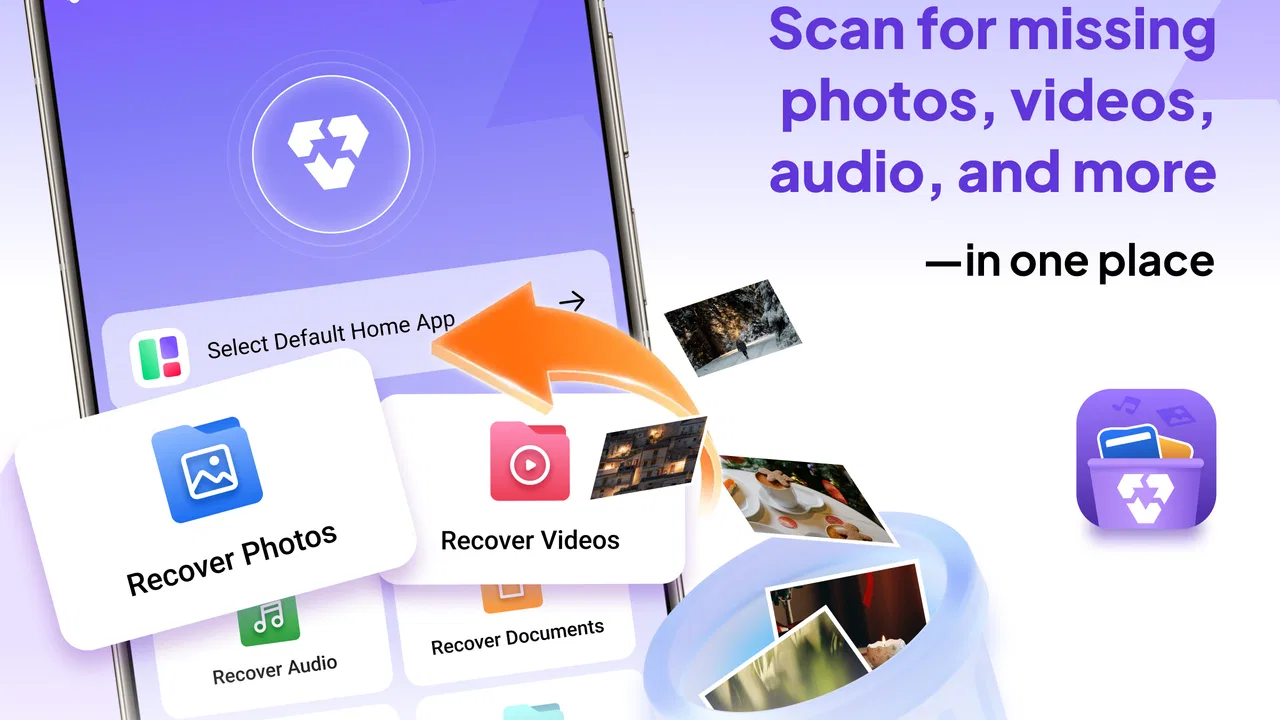
Photo Recovery: Restore Images
- 3.9
- Rating
- 100.00K
- Installs
- Free
- Price

 Analysis by App-foxy
I approached Photo Recovery: Restore Images as a practical emergency tool rather than an app I would keep open every day. Its purpose is clear: help when a photo or file has disappeared and the usual gallery view no longer shows it. That makes it most useful at a stressful moment, when you want a simple place to start before accepting that something is gone for good.
My overall impression is cautiously positive. The app belongs to the productivity category, costs nothing to use, and is suitable for everyone. It is made by حدائق حوف, and its current version is 1.4.5. Those details matter less than the way you approach recovery, though. No recovery app can promise that every deleted image will return, so I see this as a first attempt at finding recoverable material, not as a replacement for backups or a guarantee of success.
What the recovery experience is really like
The most important thing I learned is that timing and restraint matter as much as the tool itself. If I accidentally delete a picture, I would avoid taking new photos, downloading large files, or repeatedly clearing storage before trying Photo Recovery: Restore Images. New data can occupy the space where an older file once existed, making recovery less likely. The app is therefore most valuable when used soon after the mistake, while the phone has had less opportunity to overwrite anything.
You May Also Like

 Blood Strike: 2.5 Anniversary
Blood Strike’s Loadouts Turn Every Drop Into a Tactical Gamble
A close look at Blood Strike’s custom loadouts: how fast access to signature weapons reshapes its battle royale rhythm, rewards preparation, and narrows the gap between fights.

 Pandora - Music & Podcasts
Pandora’s Music Is Easy to Start, but Harder to Recover
Pandora’s strength is its low-effort path from a seed to a station. Its weak spot is how much confidence it asks you to place in connection, setup, and quiet recovery.

 8 Ball Pool
 Is Built on Rivalries, Rematches, and Routine
A close look at the rivalries, rematches, shared routines, and unanswered safety questions that turn a quick pool match into a persistent mobile community.

 Samsung Music
’s Quiet Strength Is Playing What You Already Own
Its reach comes less from spectacle than from dependable access to a personal library. That simplicity is both the app’s strongest retention engine and its ceiling.

 AccuWeather: Weather Radar
AccuWeather Review: A Quick, Clear Forecast for Everyday Decisions
For everyday plans, the best forecast is the one you can understand quickly. AccuWeather makes rain timing, radar, and local conditions easy to act on, with a few trade-offs.

 Hill Climb Racing
Why Hill Climb Racing Still Turns Crashes Into One More Run
A tiny car, a bumpy hill and one more upgrade: Hill Climb Racing keeps resurfacing because its simple chaos makes every near-miss feel personal.
More From Our News Desk
View All News


A realistic example is a family photo removed while cleaning up a crowded gallery. I would first check the phone’s gallery trash or recently deleted area, because that is usually the cleanest recovery route. If the image is not there, I would open this app, allow it to examine the device where required, and review what it finds carefully. I would not immediately restore every result. A recovery list can contain duplicates, thumbnails, cached images, or files that are technically present but no longer useful.
That filtering step is one of the app’s practical strengths. Recovery is not only about pressing a button; it is about identifying the correct file among possible results. I recommend looking for recognizable dimensions, dates, names, and visual details before saving anything. When several similar images appear, previewing them one by one can prevent the common mistake of restoring a low-quality thumbnail instead of the original-looking version.
The app works best as a calm first response to accidental deletion, not as a magic undo button. That distinction shaped my opinion more than the short store description. If I had already continued using the phone heavily, or if the file had been removed by a secure cleaning process, I would keep my expectations modest.
Where it can save time
The app is especially appealing when the missing item is a personal image and I do not remember where it was stored. Searching manually through folders can be tedious, particularly for someone who normally relies on the gallery rather than a file manager. A dedicated recovery utility gives that search a clear starting point and keeps the task focused on finding lost media instead of navigating the entire storage structure.
It can also help when a photo seems to have vanished after moving between folders. In that situation, I would not assume deletion immediately. I would check the gallery, file manager, cloud service, messaging app, and any recently deleted location first. Only then would I treat the recovery scan as the next step. This workflow avoids wasting time and reduces the chance of saving a duplicate simply because the original was hidden in another folder.
Another useful habit is to create a separate destination for recovered files. I would avoid restoring them into the same crowded folder where the confusion began. A clearly named recovery folder makes it easier to compare results, remove duplicates, and later move only the files I actually want to keep. This is a small organizational choice, but it makes the process much less frustrating.
For documents and other important files, I would be more cautious. The app’s focus is strongly associated with images, so I would judge a result by whether it opens correctly rather than assuming that a file with a familiar name is intact. A visible filename does not always mean the contents are complete. I would open recovered material before deleting any remaining copy elsewhere.
What I would check before trusting a result
I would use the app in stages rather than treating the first scan as the final answer. First, I would look through the results for the exact image. Next, I would compare likely matches with any copies in cloud storage, chats, social apps, or old device folders. Finally, I would restore only the files I can identify. This is slower than selecting everything, but it protects storage and keeps the recovered collection manageable.
A particularly useful trade-off is quality versus speed. If the app presents many possible matches, a broad search may produce more clutter, while a narrower search may be easier to inspect. I would begin with the most likely location or media type when the interface allows that kind of choice, then widen the search only if necessary. This approach is better for someone recovering one important picture than for someone trying to rebuild an entire photo library.
I would also keep the phone connected to power during a larger recovery attempt and avoid switching between many demanding apps. That is not a special feature of this product; it is simply sensible handling for a storage-intensive task. The goal is to give the process enough time and to avoid creating more files while searching for the old ones.
One question many users will have is whether the app can recover everything they have ever deleted. I would answer no. Recovery depends on what remains on the device and on how the deletion occurred. A file that is still present in a trash folder is a different case from one whose storage space has already been reused. This app can be worth trying, but I would never use it as a reason to postpone backups.
The limitations that affect my recommendation
The biggest weakness is built into the category: success is uncertain. A recovery tool may show something that looks promising but produces a damaged, incomplete, or lower-quality result. That can be disappointing when the missing photo has sentimental value. I would rather see the app as an opportunity to recover a file than as proof that recovery will happen.
There is also a judgment burden on the user. Someone who wants one obvious button and one guaranteed answer may find the process less satisfying than expected. You may need to inspect several similar results, decide which copy is useful, and organize the restored files afterward. The app can simplify the search, but it cannot make the underlying storage history simple.
Another limitation is that a recovery app is not always the best first option. If the photo was synchronized with a cloud gallery, sent through a messaging conversation, or backed up on a computer, those sources may provide a cleaner and higher-quality copy. I would check them before relying on a scan. In many cases, the usual alternatives are better because they preserve the original file without the uncertainty associated with deleted storage.
I would also skip this app when the problem is not accidental deletion at all. If an image is hidden by a gallery filter, stored in a different account, or inaccessible because of a damaged device, a recovery utility may not address the real cause. Identifying the problem correctly saves time. The app is aimed at lost or deleted material, not every kind of photo-access problem.
Privacy is another reason to be deliberate. I would review what the app asks to access and use it only on a device I control. I would not install a recovery tool on someone else’s phone without permission, and I would not treat recovered private images casually. Even when the technical task is successful, handling personal files responsibly remains part of the job.
Who should use it and who should look elsewhere
I think Photo Recovery: Restore Images suits Android users who have accidentally removed a small number of photos and want an accessible recovery attempt before paying for specialist help. It is also a reasonable choice for people who are not comfortable browsing storage folders manually. The free price lowers the barrier to trying it when the missing image matters but the user is not ready to commit money to a professional service.
Its audience is broader because the app is rated for everyone, but that does not mean every user will have the same experience. A technically confident user may prefer a file manager, device backup, or desktop recovery workflow that offers more control. Someone with a large, carefully organized photo archive may also prefer a backup system, because prevention is more reliable than searching after deletion.
I would recommend it less strongly to anyone dealing with a damaged phone, an encrypted storage problem, or a large-scale data loss. Those situations can require specialized tools and a more controlled process. Repeatedly experimenting on the original device may reduce the chance of later professional recovery. In that case, stopping use and seeking expert advice could be wiser than trying several apps in succession.
The app has attracted over one hundred thousand installs, with a 3.9 average from roughly five hundred ratings and a few dozen written reviews. I read that as a sign of real interest rather than a guarantee of consistent results. Recovery outcomes naturally vary from phone to phone, so I would pay more attention to whether the workflow feels understandable and whether the results are usable than to the rating alone.
Its release date is December 3, 2025, which makes the version number useful context when checking compatibility and updates. It supports Android 8.0 and later, so owners of older devices should confirm that their phone meets that requirement before planning a recovery attempt. For supported users, the low-friction setup is part of the appeal, especially when the app is needed urgently.
How it compares with the usual alternatives
The first alternative is the phone’s own recently deleted folder. I would always check that before opening a recovery app because it is usually easier to understand and may preserve the original item with less searching. The disadvantage is that it only helps when the gallery still retains the deleted file. If the item has disappeared from that area, a recovery utility becomes a reasonable next step.
Cloud backup is the stronger long-term solution. It can restore photos without making me inspect uncertain scan results, and it protects against more than a single accidental tap. The trade-off is that backup must have been enabled beforehand and the correct account must be available. This app is useful precisely when that safety net is missing or when I need to search the device itself.
A standard file manager is better when the image is merely misplaced. It gives me direct control over folders, filenames, and locations, while a recovery tool is more appropriate when normal browsing no longer reveals the file. Choosing between them depends on the symptom: hidden or moved suggests a file manager; deleted suggests recovery; missing from the phone entirely but present online suggests cloud storage.
Desktop recovery software may offer more advanced control for serious cases, but it can be intimidating and may involve costs or technical steps. I would reserve that route for valuable data that the simpler options cannot find. For one accidentally deleted image, beginning with a free mobile tool is more proportionate. For irreplaceable work files or a failing device, I would not assume that a phone app is enough.
My final view after using it as a practical tool
I see Photo Recovery: Restore Images as a useful, free attempt for a specific problem. Its strongest quality is not that it removes the need for backups, but that it gives ordinary Android users somewhere to begin when a photo has disappeared. The best results will come from acting quickly, avoiding new storage activity, checking obvious alternatives first, and reviewing recovered files instead of blindly restoring everything.
I would recommend it to a friend who had just deleted an important picture and wanted a straightforward option before giving up. I would explain the limits at the same time: recovery is not guaranteed, scan results may require careful sorting, and a cloud copy or gallery trash may be better when available. That balanced expectation is essential to using the app well.
For everyday photo protection, I would choose regular backups over any recovery utility. For a recent accidental deletion on a supported Android phone, however, this app is worth trying because it is free, focused, and easy to justify as a first response. My verdict is favorable with caution: use it early, inspect what it finds, save recovered files somewhere safe, and do not mistake a recovery attempt for a backup strategy.
FAQs for Photo Recovery: Restore Images
01What is Photo Recovery: Restore Images and how does it work?
Photo Recovery: Restore Images is an app designed to help users retrieve deleted photos from their devices. It scans the device for any recoverable images and provides an easy interface for restoration. The app supports various image formats and can retrieve photos from internal storage and SD cards.
02Is Photo Recovery: Restore Images compatible with all Android and iOS devices?
The app is compatible with most Android devices running version 5.0 and above, as well as iOS devices with iOS 11 or later. However, performance may vary depending on the device's hardware capabilities and operating system version. It's always a good idea to check the app’s compatibility on the app store before downloading.
03Are there any limitations on the number of photos that can be recovered?
While there is no strict limit on the number of photos that can be recovered, the app’s efficiency depends on the device’s storage and processing power. Some older or lower-end devices may experience slower recovery times, especially with a large volume of photos. Users should also be aware of potential storage limitations on their devices.
04Is it safe to use Photo Recovery: Restore Images?
Yes, Photo Recovery: Restore Images is designed with user privacy in mind. The app only accesses the necessary storage areas to retrieve deleted photos and does not share any data with third parties. Users should ensure they download the app from a reputable source to avoid any malicious versions.
05Do I need to root my Android device or jailbreak my iOS device to use this app?
No, there is no need to root or jailbreak your device to use Photo Recovery: Restore Images. The app is designed to work on standard devices without requiring any modifications to the operating system, making it accessible to all users who want to recover their deleted photos easily.
Pros
- Recovers deleted photos quickly.
- Supports multiple file formats.
- User-friendly interface design.
- No root access needed.
- Preview option before recovery.
Cons
- Limited free storage recovery.
- Ads can be intrusive at times.
- May not recover all files.
- Performance varies by device.
- Lacks advanced recovery settings.

Photo Recovery: Restore Images
Gallery